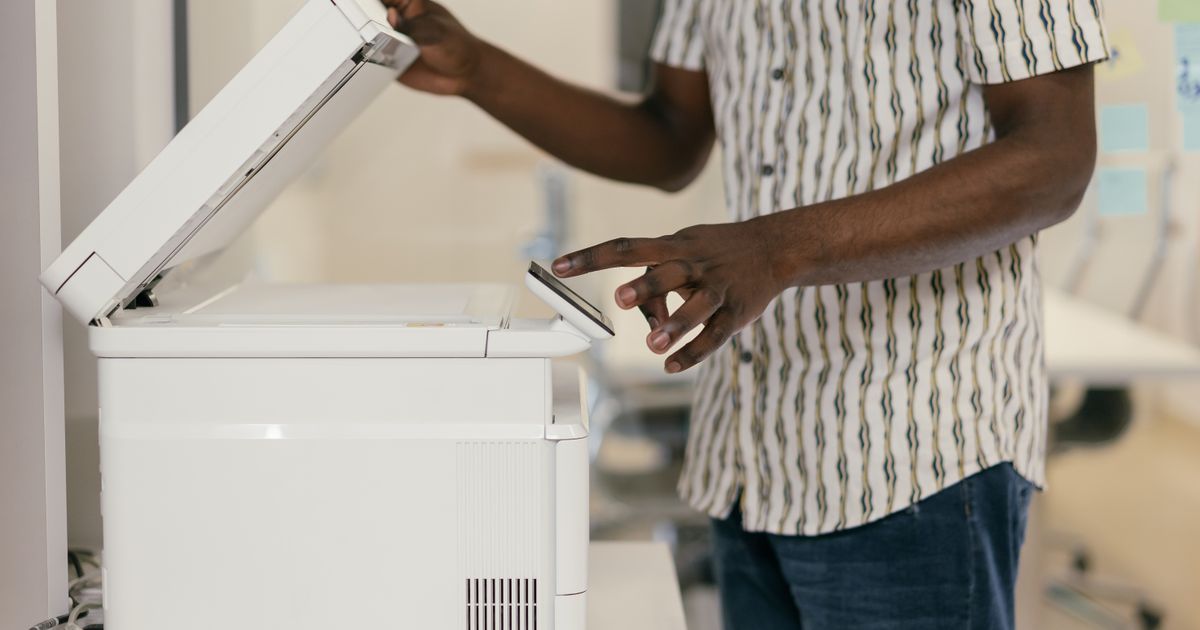
Digitizing inbound mail: what a Belgian SME gains by ditching the paper pile
A Belgian SME receives on average 30 to 120 paper items per month — supplier invoices, official letters, formal notices. How to move to a digital mailbox without breaking everything.
Why the mail pile costs more than you think
In most Belgian SMEs, inbound mail works in three steps: an assistant opens envelopes in the morning, sorts into piles (invoices, banks, HR, "to look at"), distributes to the relevant person, who must then find the documents a few weeks later when the accountant needs them.
That routine generates three hidden costs:
- Handling time: opening, sorting, manually scanning, filing. Count 10 to 20 minutes a day per person involved.
- Delays on supplier invoices: an invoice sitting 3 days on a desk means 3 fewer days to validate before the due date.
- Lost information: letters that go missing, a tax notice surfaced too late, a formal notice discovered after the deadline.
For an SME receiving 80 items a month, this quickly reaches 10 to 20 hours monthly spent purely on paper. Before digitizing, making sure your Belgian postal addresses meet best practices prevents unnecessary returns and re-delivery costs.
What digitizing inbound mail really means
Digitizing mail is not just buying a scanner. A clean workflow covers four steps:
- Reception: open, unpack, separate items.
- Capture: scan to readable PDF (OCR), with quality good enough for archival.
- Classification: place each PDF in a folder or system (shared drive, DMS, accounting, CRM).
- Routing: notify the right person (accountant for an invoice, legal team for a formal notice).
Depending on SME maturity, those steps can be done in-house or outsourced to a provider who receives the mail on your behalf.
Two organisational models
Model 1 — In-house. You keep your address, mail arrives at your office, a team member scans in the morning. Pro: full control. Con: still manual, dependent on one person.
Model 2 — Digital mailbox. You redirect your address to a provider (often a "virtual mailbox"). They receive the physical piece, scan it, deliver it to a web interface and archive it — or forward it if needed. Pro: never touch paper again. Con: bpost must be notified and you must pick a reliable provider.
For a team with multiple offices or executives often on the move, model 2 is almost always more cost-effective. For outbound bulk mail, a professional mailing solution for Belgian SMEs complements this setup well.
Use case: the supplier invoice
This is where digitization pays back fastest. With a clean chain:
- The invoice arrives (paper or PDF) and is scanned if needed.
- OCR extracts the supplier, number, date, net/VAT/gross amount.
- The invoice is pre-matched with a purchase order or internal customer, then validated.
- It flows automatically to the accounting system in the right format.
For an SME receiving 50 supplier invoices a month, this returns 2 to 4 accounting hours weekly and halves the validation lead time.
What about incoming registered mail?
That is the other sensitive category. An incoming registered letter (formal notice, tax letter, bailiff service) must be handled immediately: it carries a legal deadline. An assistant placing it on a pile while waiting for the executive is a real risk.
A good digitization chain auto-flags registered items (recognisable bpost label), surfaces them at the top of the interface, and triggers an email alert to the designated recipient. Simply removing the human-sort dependency eliminates the costliest incident class. Our guide on electronic registered mail in Belgium and the eBox explains the digital alternatives to paper registered post.
Three pitfalls to know
- Digitizing without naming. A folder "Mail 2026" with 600 PDFs named "scan_2026_03_17_001.pdf" is worse than the paper pile. You need a naming convention or automatic indexing.
- Underestimating legal archival. Invoices must be kept 7 years in Belgium. The chosen system must faithfully restore the original document over that span.
- Forgetting confidentiality. Mail contains GDPR-sensitive data. The provider or tool must operate in Belgium/EU with appropriate hosting.
Summary
Digitizing inbound mail is not a "tech project" — it is an organisational change. For a typical Belgian SME, ROI shows within a few months as soon as supplier invoices and registered mail are processed without manual handling. The rest — informational mail, ads — can be batch-processed, scanned once a week. For questions about setting up a digitization workflow, contact the Bjet24 team.
Frequently asked questions
How much does inbound mail digitization cost for a Belgian SME?
The cost depends on volume and the model chosen. In-house, budget for staff time (10 to 20 minutes per day), a multifunction scanner (€200 to €600) and document management software (€20 to €80/month). Outsourcing to a digital mailbox provider typically costs €50 to €200/month depending on the number of items processed. Return on investment is often reached in under six months thanks to recovered accounting hours.
Which documents must be kept for 7 years in Belgium?
In Belgium, supplier and customer invoices, purchase orders, bank statements and all accounting documents must be retained for 7 years from the financial year to which they relate. Social documents such as employment contracts and pay slips have specific retention periods ranging from 5 to 30 years depending on the nature of the document. A digitization system must guarantee the integrity and readability of files throughout that entire period.
How should an incoming registered letter be handled in a digitization workflow?
An incoming registered letter almost always carries a legal deadline: formal notice, tax appeal, bailiff service. In a digital workflow, it must be automatically identified via the bpost label, scanned as a priority on the day of receipt, and routed by email alert to the designated recipient. Never let it join the general pile. The legal deadline runs from the date of receipt, not the date the letter is read.
Is a simple scan-to-PDF without OCR sufficient to archive inbound mail?
Technically yes, but it is not recommended. An image PDF without OCR is not searchable: you cannot retrieve an invoice number or supplier name from the archive. OCR (optical character recognition) turns the image into searchable text, which simplifies accounting reconciliation, tax audits and compliance checks. Most professional scanners and cloud solutions include OCR as standard.
Is inbound mail digitization compatible with GDPR requirements?
Yes, provided you choose a provider or tool hosted in Belgium or the European Union, apply retention periods consistent with the regulations, and restrict access to sensitive documents on a least-privilege basis. Inbound mail can contain personal data (pay slips, medical correspondence, disputes): these must be treated with the same safeguards as any GDPR data. This processing activity must be recorded in the data processing register.
Ready to send a letter?
Send a letter or registered mail in minutes — no printer, no post office.
Related articles
Inbound mail processing: sorting, indexing and automatic routing
Receiving and scanning mail is only half the job. The real gain comes from processing: sorting, indexing and routing every item to the right person and tool, on time.
Business mail management in Belgium: the complete 2026 guide
Receiving, sorting, processing, digitizing, archiving, sending: the reference guide to organise your Belgian company's mail management end-to-end, with costs, models and a starter checklist.

Automate office mail management in Belgium: which solutions to pick in 2026
Digital mailbox, DMS with OCR, hybrid mail via API or all-in-one: here are the four families of tools to automate office mail management in Belgium, plus the objective criteria to choose.
Comments (0)
Loading comments…